Transform your photos with one-click AI effects. Ghibli style, background removal, quality enhancement, and more - all powered by Editee's advanced AI, now directly inside Aura AI.
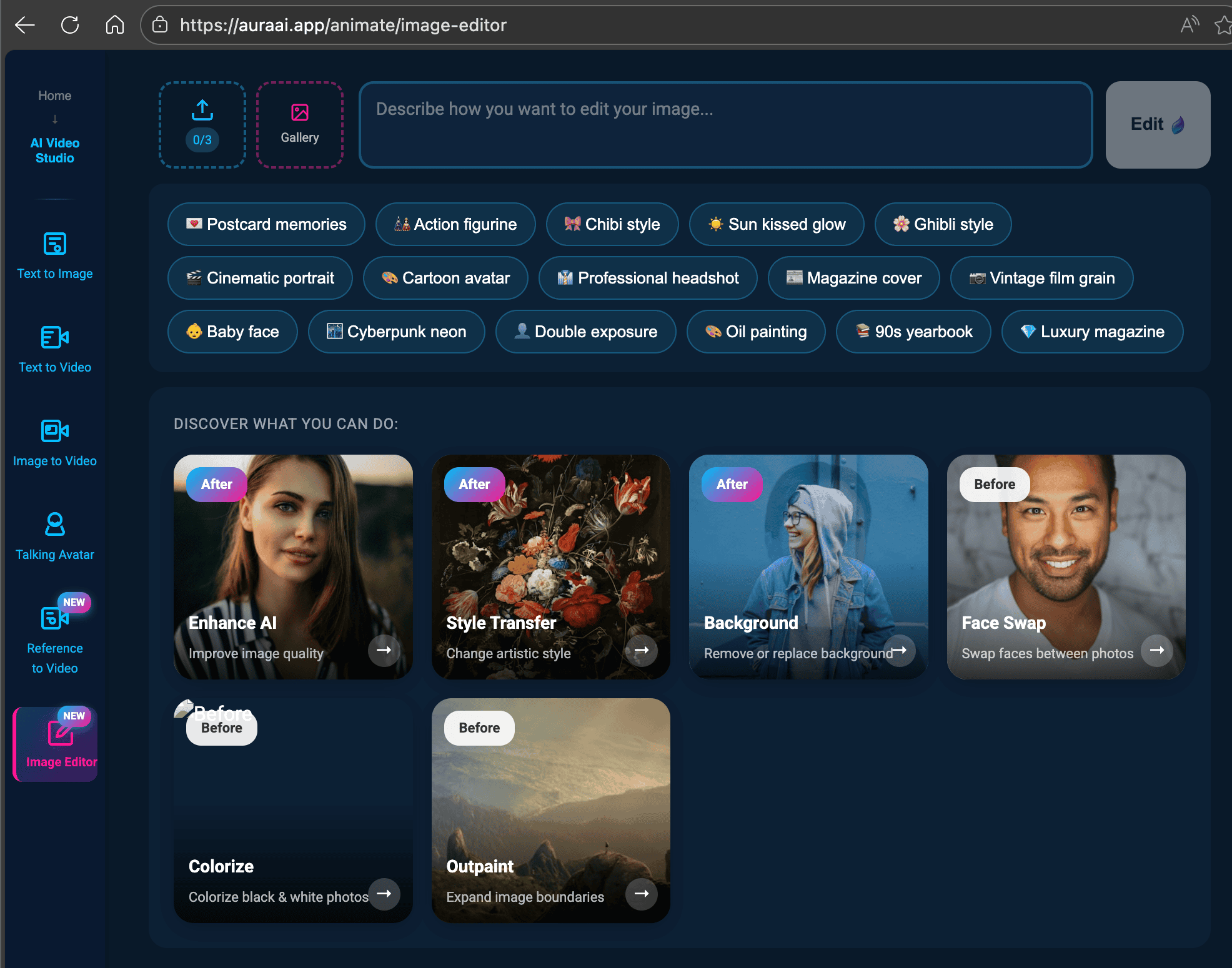
2026 update: The Editee integration became the Aura AI image editor. Beyond the one-click presets below, it now runs prompt-based editing models such as FLUX Kontext (2 or 3 credits per edit) and Nano Banana (edit mode from 2 credits), so you can describe any change in plain language.
What is Editee?
Editee is a cutting-edge AI image editing platform that uses advanced machine learning models to transform photos in seconds. From artistic style transfers to practical edits like background removal, Editee handles complex image manipulations that would traditionally require hours in Photoshop.
Now, all of Editee's capabilities are available directly inside Aura AI's Animate studio.
Why This Integration Matters
With the Image Editor, you can now edit your images before animating them. Transform a regular photo into Ghibli-style artwork, then animate it with Veo 3 or Luma - all without leaving Aura AI. This seamless workflow unlocks creative possibilities that weren't possible before.
Available AI Editing Features
The Image Editor comes loaded with powerful one-click transformations:
Ghibli Style
Transform photos into Studio Ghibli-inspired artwork
Remove Background
Instantly isolate subjects with clean cutouts
Enhance Quality
Upscale and sharpen low-quality images
Cartoon Avatar
Turn portraits into cartoon-style characters
Anime Style
Convert photos to anime/manga aesthetics
Vintage Filter
Apply nostalgic film and retro effects
Beyond these quick presets, you can type any custom prompt to describe exactly how you want your image transformed. The AI understands natural language instructions like "make it look like a watercolor painting" or "change the background to a sunset beach".
How to Use the Image Editor
-
Open Aura AI Animate
Navigate to the Animate studio and click on "Image Editor" in the sidebar menu. -
Upload Your Image
Drag and drop your image, click to browse, or select from your gallery. -
Choose a Suggestion or Write a Prompt
Click a suggestion chip for quick edits, or type a custom prompt describing your desired transformation. -
Click Generate
Wait a few seconds for the AI to process your edit. -
Use the Result
Your edited image is automatically saved to your gallery and ready to animate with Veo 3, Luma, or any other model.
Plan Availability
The Image Editor is available to all paid Aura AI users:
| Plan | Images per Edit | Access |
|---|---|---|
| Starter | 1 image | Full access |
| Pro / Premium Best Value | Up to 3 images | Full access + batch editing |
Creative Workflow: Edit Then Animate
The real magic happens when you combine the Image Editor with Aura AI's video generation. Here's a powerful workflow:
Example: Ghibli-Style Animation
- Upload a portrait photo to Image Editor
- Apply "Ghibli Style" transformation
- Use the result in Image-to-Video with Veo 3
- Add a prompt like "gentle wind blowing through hair, clouds moving in background"
- Generate a stunning Ghibli-style animated video
This workflow lets you create content that would be impossible with either tool alone. The edited image maintains its artistic style when animated, resulting in cohesive, professional-looking videos.
Technical Details
For those curious about what's under the hood:
- Processing Time: Most edits complete in 5-15 seconds
- Output Quality: High-resolution results matching your input image
- Supported Formats: JPG, PNG, WebP
- Credit Cost: from 2 credits per edit
Get Started Now
The AI Image Editor is available now for all Aura AI users. Head to Animate Studio and click on Image Editor in the sidebar to start transforming your photos.
We can't wait to see what you create. Share your best edits with us on social media using #AuraAI!
Current editing options: the AI image editor page explains every mode, FLUX Kontext keeps characters and style intact through iterative edits, Nano Banana Pro and 2 handle background swaps and text changes, and our post on 8 AI image editing features walks through face swap, object removal and colorization.
Try Image Editor Today
Transform your photos with AI-powered editing. Ghibli style, background removal, and more - powered by Editee.
Open Image Editor