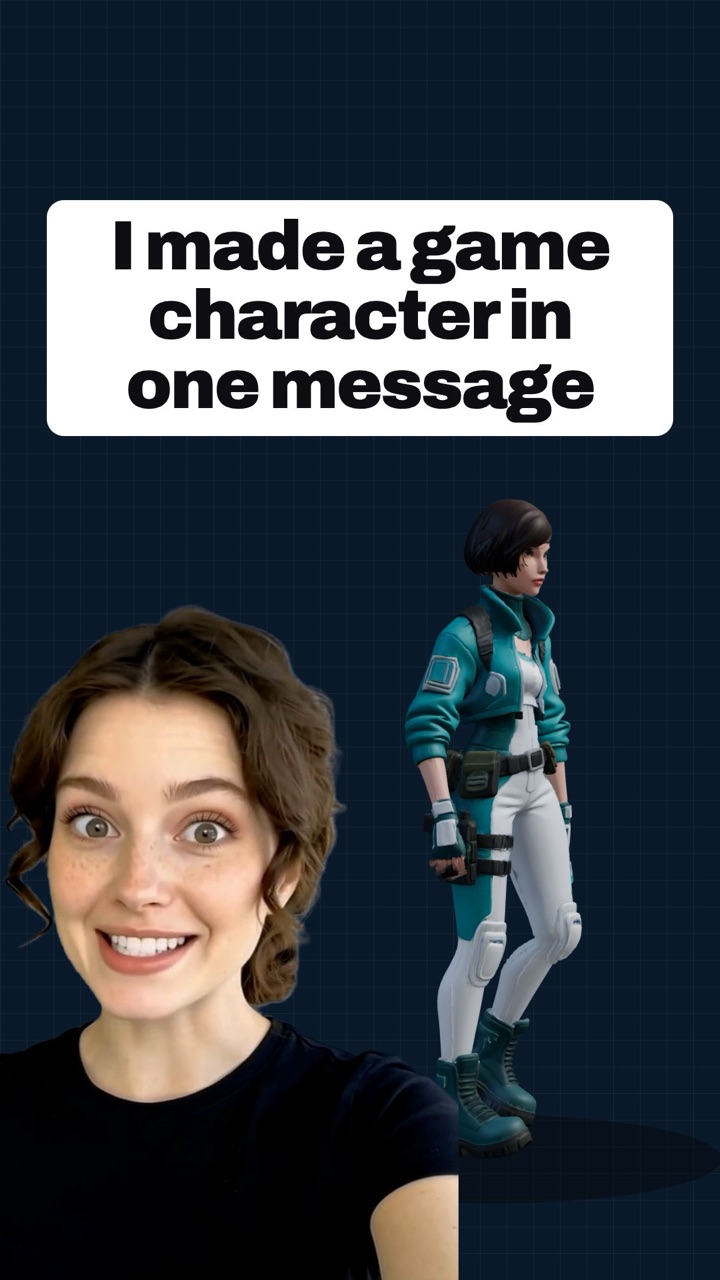
An AI 3D model generator that works from a chat on your phone. Describe an object or snap a photo, and the agent generates a textured 3D model you can rotate, place in your room with AR, and download in GLB, OBJ, FBX, STL or USDZ. On the go, and as powerful as a desktop tool.
Image to 3D and text to 3D. From 4 credits per model. Included from the Pro plan.
Apps to make 3D models usually mean menus, viewports and a learning curve. Here you talk. Ask for a model the way you would ask a person, and the agent generates it with AI, then asks what to do next: another variant, a different model, a print-ready version.
It works like asking a chatbot for a 3D model, except that it actually delivers the file, keeps every result in your chat history, and remembers how you like to work.
Three steps, one hand, no desktop needed.
Text to 3D: write "a low-poly fox sitting". Image to 3D: attach one photo of the object on a plain background, straight from your camera.
It picks the right 3D model for the job, or uses the one you name, and tells you it takes one to three minutes. Stop it any time.
The model appears in the chat: spin it, zoom in, open it full screen, view it in AR, share it, or pick another format under Other formats.
A real mesh with materials, not a picture that looks 3D.
Base colour plus metallic, roughness and normal maps, so the model reacts to light like a physical object in any engine or slicer preview.
GLB for the web and game engines, OBJ and FBX for Blender, Unity and Unreal, STL for the slicer, USDZ for AR on iPhone.
Place the model on your desk from the viewer, send the file to a slicer or a colleague from the share sheet, and find it again in your chat history.
Photograph a part, a toy or a sketch, get a closed mesh, download the STL and print it. Tell the agent you prefer STL and it lists it first every time.
A 3D character maker that starts from a sentence: mascots, collectibles, tabletop miniatures, chess sets. Ask for variants until it is right.
Props and set dressing as GLB or FBX with PBR maps for Unity, Unreal, Godot or three.js. Product photos become AR previews customers can place at home.
The agent chooses by default. Name a model when you want a specific look, or just say "print-ready" or "game-ready".
The default. Fast, high detail, PBR materials, good with photos of real objects.
4 creditsGame-ready assets with clean topology and PBR textures, from text or from a photo.
8 creditsPrint-ready meshes with detailed textures, built for figurines and physical objects.
8 creditsThe same chat that generates your 3D models also creates and edits images with Nano Banana, GPT Image and FLUX, and makes video with Veo, Sora, Kling and Seedance. It learns how you work, so "my usual format" or "like last time" just works, and you can read or edit what it remembers in Settings.
Text to image · AI image editor · Text to video · All AI models
Open the Aura AI app, write what you want in the chat or attach a photo of the object, and ask for a 3D model. The agent builds the mesh and textures in one to three minutes and shows it in a viewer you can rotate and zoom.
Yes. One clear photo of the object, ideally on a plain background, is enough. The front view drives the geometry and the textures.
The viewer file is GLB. Under Other formats you also get OBJ, FBX, STL or USDZ, depending on the model that produced it. Tell the agent your preferred format once and it lists it first every time.
Yes. Download the STL or OBJ file and open it in your slicer. Ask for a print-ready model to get a closed mesh.
Yes. Tap the AR button in the viewer to place the model in your room on Android, or use the USDZ file for AR Quick Look on iPhone and iPad.
From 4 credits per model with Hunyuan 3D, 8 credits with Meshy or Tripo. 3D generation is included from the Pro plan of the Aura AI app.
Hunyuan 3D 3.1 Pro for fast, detailed models with PBR materials, Meshy 7.1 for game-ready assets, and Tripo P2 for print-ready meshes. The agent chooses, or you name the model.
Yes. It learns from your chats: preferred formats, favourite models, the kind of objects you make. You can read and edit that profile in Settings at any time.
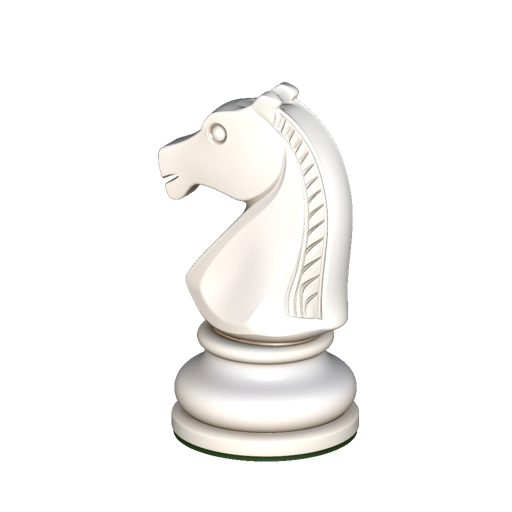
Get the Aura AI app, open the agent and ask for your first 3D model.