Ever wanted to create AI videos that maintain consistent characters across scenes? Reference to Video is the breakthrough feature that lets you use multiple reference images to generate videos with unprecedented character and subject consistency.
What is Reference to Video AI?
Reference to Video (also known as Subject Reference to Video or Multi-Image to Video) is an advanced AI video generation technique that uses multiple input images as references to create videos with consistent characters, objects, and styles.
Unlike traditional image-to-video AI that animates a single image, Reference to Video analyzes multiple reference images to understand:
- Character identity - facial features, body proportions, clothing
- Object consistency - product details, brand elements, specific items
- Style reference - visual aesthetics, lighting, mood
- Scene elements - backgrounds, environments, props
Why This Matters
Traditional AI video generators often produce "character drift" where subjects change appearance between frames or scenes. Reference to Video solves this by using multiple images as anchors, ensuring your characters look the same throughout the entire video.
See Reference to Video in Action
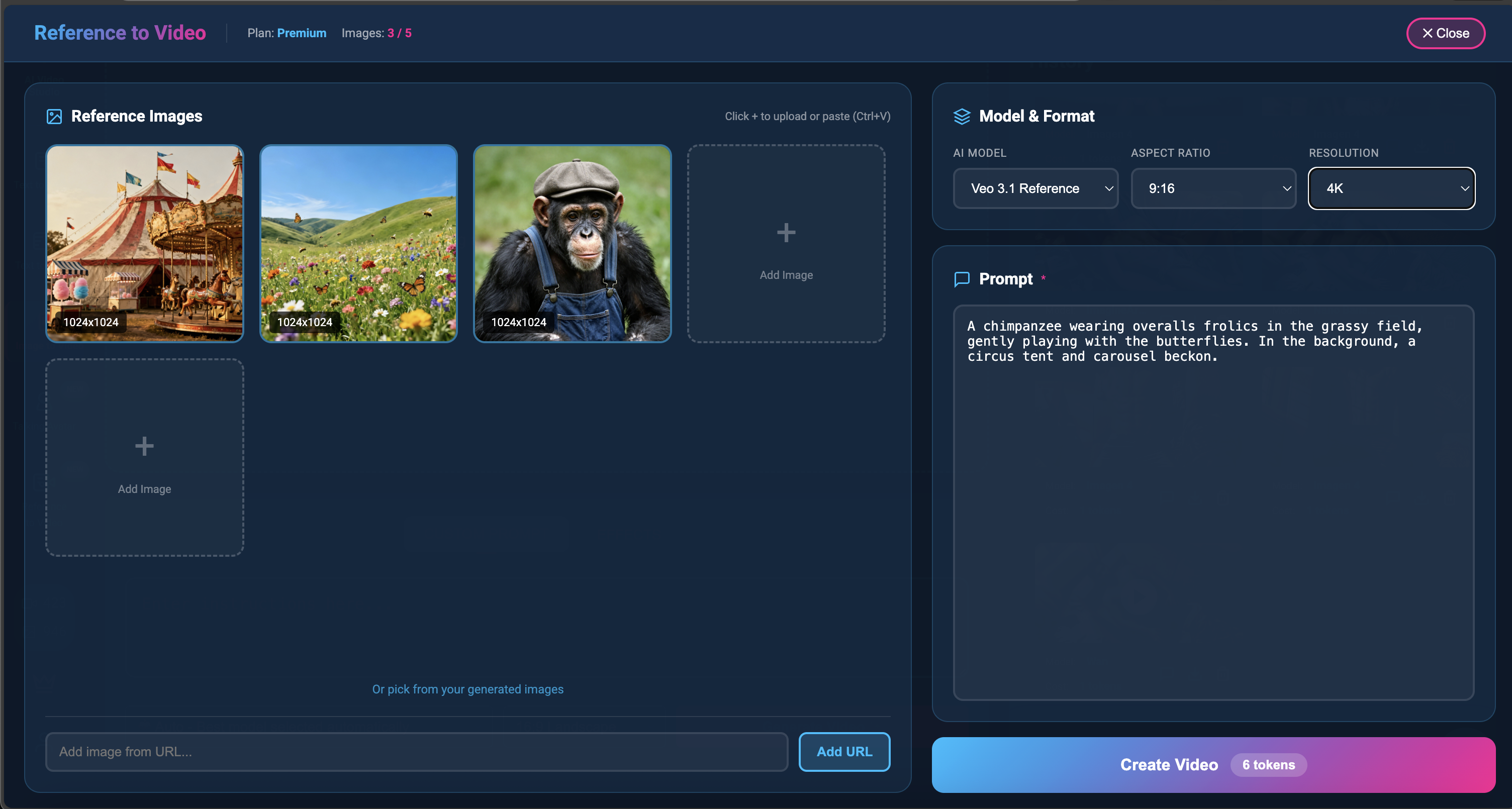
Here's an example video generated using multiple reference images with Veo 3.1 on Aura AI:
Generated with Reference to Video using Veo 3.1 - Multiple reference images combined into a consistent video
How Reference to Video Works
The technology behind Reference to Video combines several AI breakthroughs:
1. Multi-Image Analysis
The AI analyzes all your reference images simultaneously, extracting key features and understanding the relationships between different visual elements.
2. Identity Preservation
Advanced neural networks create an "identity embedding" that captures the essence of your subject, ensuring it remains recognizable across all generated frames.
3. Temporal Consistency
Unlike single-image generation, Reference to Video maintains consistency across time, preventing the "morphing" effect common in AI videos.
4. Prompt Integration
Your text prompt guides the action and scene while the reference images control the visual identity, giving you the best of both worlds.
How to Use Reference to Video on Aura AI
-
Open Aura AI Animate
Navigate to the Animate studio and look for "Reference to Video" in the sidebar menu. -
Upload Reference Images
Add 1-4 reference images. These can be photos of a person, product, character, or any subject you want to appear in the video. -
Write Your Prompt
Describe what should happen in the video. Be specific about actions, camera movements, and scene details. -
Select Model & Settings
Choose Veo 3.1 for best results. Select your preferred aspect ratio (16:9, 9:16, or 1:1). -
Generate
Click generate and wait for your video. The AI will combine your references with your prompt to create a consistent video.
Best Use Cases for Reference to Video
Personal Avatars
Create videos featuring yourself or custom characters that maintain consistent appearance across multiple scenes and videos.
Product Marketing
Generate product videos where your item looks exactly the same from every angle and in every scene.
Storytelling
Create narrative videos with consistent characters - perfect for short films, animations, and social content.
Brand Content
Maintain brand mascots, logos, and visual identity across all your video marketing materials.
Reference to Video vs. Traditional Image-to-Video
| Feature | Reference to Video | Traditional Image-to-Video |
|---|---|---|
| Input Images | Multiple (1-4 references) | Single image |
| Character Consistency | High - maintains identity | Variable - may drift |
| Multi-Scene Videos | Excellent consistency | Each scene different |
| Best For | Characters, products, branding | Single scene animations |
| Complexity | More control, more options | Simple, quick |
Tips for Best Results
Choose Quality Reference Images
- Use high-resolution, well-lit photos
- Include different angles of your subject
- Avoid blurry or heavily filtered images
- Consistent lighting across references helps
Write Effective Prompts
- Describe the action clearly ("walking through a forest", not just "forest")
- Include camera movement if desired ("slow zoom in", "tracking shot")
- Specify lighting and mood ("golden hour lighting", "dramatic shadows")
- Don't redescribe the subject - the AI uses your reference images for that
Experiment with Settings
- Try different aspect ratios for different platforms
- Use Veo 3.1 for highest quality output
- Test with fewer references first, then add more
The Future of AI Video Generation
Reference to Video represents a significant step forward in AI video generation. As models continue to improve, we expect to see:
- Longer videos with consistent characters throughout
- More reference inputs for complex scenes
- Real-time generation for interactive applications
- Multi-character consistency in the same scene
Get Started with Reference to Video
Reference to Video is now available for all Aura AI subscribers. This powerful feature works with Veo 3.1 to deliver the most consistent, high-quality AI videos possible.
Whether you're creating content for social media, marketing materials, or creative projects, Reference to Video gives you the control and consistency you need to bring your vision to life.
Try Reference to Video Today
Create AI videos with consistent characters using multiple reference images. Available now on Aura AI.
Start Creating Now