AI-Powered Editing

AI Image Editor: Transform Your Images with AI

Edit any image with AI -- remove objects, change backgrounds, add elements, and apply creative transformations. No Photoshop skills needed.

AI
Powered
1-Click
One Click
Any
Edit
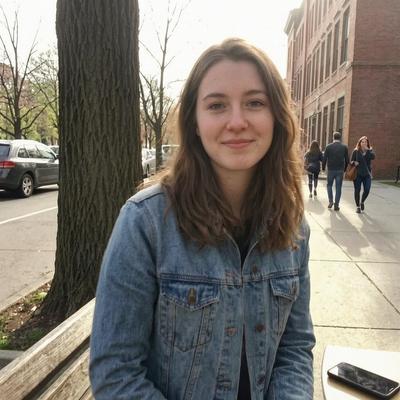
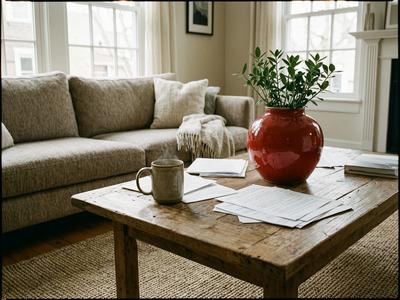
AI Image Editor demo showing before and after of an AI-edited image on Aura AI

AI Image Editing Features

Six powerful tools that replace complex design software

Object Removal

Remove unwanted objects, people, text, or blemishes from any photo. The AI fills the space with contextually accurate content that blends naturally with the rest of the image. No manual masking needed.

Background Change

Swap backgrounds instantly. Place your subject on a beach, in a studio, or in a completely imagined scene. The AI handles edge detection and lighting adjustment so the result looks natural.

Element Addition

Add new objects, people, or details to existing images. Describe what you want and the AI generates it in place, matching the perspective, lighting, and style of the original photograph.

Style Transfer

Transform the artistic style of your image. Turn a photograph into a watercolor painting, oil portrait, anime illustration, or any other visual style while preserving the original composition and subject.

Inpainting

Regenerate specific regions of an image with new content. Select an area and describe what should replace it. The AI blends new content seamlessly with the surrounding pixels for invisible edits.

AI Enhancement

Upscale resolution, sharpen details, fix lighting, and improve overall image quality. The AI analyzes what needs improvement and applies targeted corrections that elevate the entire image.

How the AI Image Editor Works

From upload to finished edit in three simple steps

1. Upload Image

Choose any photo from your device. The AI image editor accepts JPG, PNG, and WebP formats. Drag and drop or browse your gallery to get started.

2. Describe Your Edit

Tell the AI what you want changed in plain language. Remove that person in the background, change the sky to sunset, add a plant on the desk -- just describe it.

3. AI Applies the Edit

The AI processes your instruction and delivers the edited image in seconds. Download the result in high resolution, no watermark, ready to use anywhere.

Use Cases for AI Image Editing

How professionals and creators use the AI image editor every day

Product Photo Editing

  • Remove distracting backgrounds from product shots
  • Place products in lifestyle scenes without a photo shoot
  • Fix lighting, reflections, and color consistency across listings

Social Media Content

  • Create scroll-stopping visuals by transforming ordinary photos
  • Add text overlays, graphic elements, and branded touches
  • Batch-edit content to maintain a cohesive visual feed

Photo Restoration

  • Repair damaged or faded old photographs
  • Remove scratches, stains, and color degradation
  • Upscale low-resolution images to modern quality standards

Creative Transformations

  • Turn photos into paintings, sketches, or stylized artwork
  • Create surreal composites by merging elements from different images
  • Experiment with impossible scenes and imaginative visual concepts

AI Image Editing: Part of Aura AI's Complete Creative Toolkit

Image editing has traditionally required specialized software and years of practice. Tools like Photoshop offer extraordinary power, but their complexity puts professional-quality editing out of reach for most people. The AI image editor on Aura AI changes this equation entirely. Instead of learning layers, masks, blend modes, and selection tools, you describe the edit you want in a sentence and the AI handles the technical execution.

This is not a simple filter or preset. The AI understands context, depth, lighting, and composition. When you ask it to remove an object, it analyzes what should logically replace it and generates content that integrates seamlessly. When you change a background, it adjusts edge blending and light direction so your subject looks naturally placed in the new environment. The results compete with professional manual editing at a fraction of the time.

The AI image editor is part of Aura AI's broader creative platform that includes more than 20 AI models for video generation, image generation, and now image editing. This means you can generate an image with AI, edit it to perfection, and then animate it into a video -- all within a single platform. For e-commerce sellers, the workflow might be: generate a product scene, edit the background and lighting, then create a dynamic product video. For content creators, it could mean editing a photo for a thumbnail and then generating a matching video clip.

Every edit is delivered without watermarks and in high resolution, ready for commercial use. Whether you are a marketer preparing campaign assets, a small business owner updating product listings, or a creator building a visual brand, the AI image editor on Aura AI removes the technical barriers between your idea and a polished final image. Combined with the platform's video and image generation capabilities, it forms a complete creative toolkit powered entirely by AI.

Frequently Asked Questions

Common questions about the AI image editor on Aura AI

How does the AI image editor work? +
Upload any image, then describe the edit you want in plain language. The AI understands your instruction and applies the change, whether that means removing an object, swapping a background, adding new elements, or applying a style transformation. No manual selection tools or layer management required.
Can the AI remove objects from photos? +
Yes. The AI image editor can remove unwanted objects, people, text, or blemishes from any photo. Simply describe what you want removed and the AI will intelligently fill the area with contextually appropriate content that blends seamlessly with the surrounding image.
What image formats does the editor support? +
The Aura AI image editor supports all common image formats including JPG, PNG, and WebP. Uploaded images should be at least 512 pixels on the shortest side for best results. The edited output is delivered in high resolution.
Do I need design skills to use the AI image editor? +
No. The entire editing process is controlled through natural language descriptions. Instead of learning complex tools like layers, masks, and brushes, you simply tell the AI what you want changed. This makes professional-quality image editing accessible to everyone.
Can I use edited images for commercial purposes? +
Yes. All images edited through Aura AI can be used for commercial purposes with an active subscription. There are no watermarks added to edited images, making them ready for product listings, social media, marketing materials, and client deliverables.

Start Editing Images with AI

Upload a photo and describe your edit -- the AI handles the rest. No watermarks, HD quality