You have a clip you would love to play forever: clouds drifting, water flowing, a dog running across the frame. Put it on repeat and the spell breaks every few seconds, because the last frame is nowhere near the first. Loop Factory is the Aura AI tool that turns a video into an infinite loop. It reads how your clip moves, builds new footage that carries that motion from the final frame back to the opening one, and hides the join so well that the loop has no beginning and no end. Below are three real clips, one of them with and without Loop Factory, and a look at the six stages that run between upload and download.
In This Article
Before and after: three real clips
The first two pairs show the original clip played on repeat next to the Loop Factory result: watch the moment the original restarts, then try to find that moment in the loop. The third pair keeps the same generated footage but removes everything else Loop Factory does.
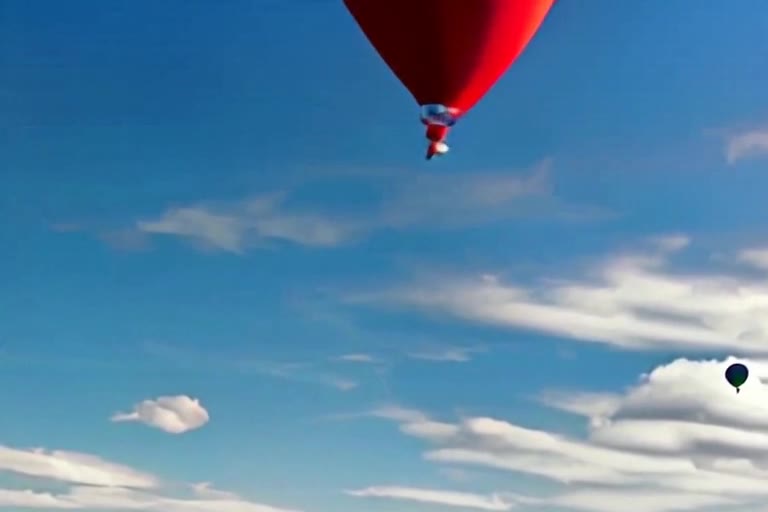
A hot air balloon over the clouds
A golden retriever on the move
Koi fish, with and without Loop Factory
Spot the cut, in three Shorts
The same idea in under 20 seconds each, from our YouTube channel: a 5 second dog clip turned into an infinite loop, and two side by side tests of a seamless loop against a clip on repeat.
 5 s clip
 Spot the cut
 Spot the cut
Why a video jumps when it loops
Three different flaws break a loop, and a convincing one has to fix all three at once.
1. The end is not the start
Unless a clip was shot as a perfect cycle, its last frame shows a different moment from its first. Repeat playback cuts between those two moments, and the eye reads the cut as a jump.

2. A frame shown twice
Quick fixes such as playing the clip forward and then backward, or stitching new footage onto the end, tend to repeat the frame where the two parts meet. A single duplicated frame is enough to read as a tiny freeze.
3. A change of pace
New footage added to close a loop rarely moves at the speed of the original. The subject suddenly rushes or drags exactly where the two parts meet. It is the hardest flaw to point at and the easiest to feel.
The six stages inside Loop Factory
Loop Factory pairs generative video with classic computer vision. The generative side creates the footage that is missing; the vision side measures the original clip and holds that new footage to it, frame by frame.
Reading the motion
Loop Factory follows hundreds of distinctive points through the last seconds of your clip and measures where things move, in which direction and how fast, near layers and far layers separately. Direction is measured, never guessed: a language model is only asked to name what is moving, not how it moves, so the new footage cannot inherit an invented camera move.
Building the bridge
A generative video model creates a short piece of footage that starts on your last frame and ends on your first, guided to continue the motion that is already there: closer elements carried faster, distant ones barely moving. It is kept short on purpose. Given more time, generative models fill it with events that never happened in the clip.
Smoothing the seam
Generated footage never lands exactly on the frames it was asked to reach. Motion-aware frame interpolation synthesizes real in-between frames at both joins, so that small difference is spread across several frames instead of showing as one visible step. It is not a crossfade: no two images are ever layered on top of each other.
Matching the look
Every synthesized frame takes on the color and contrast of the original frame at its exact moment in time. Brightness and color stay continuous across the join instead of dipping for a fraction of a second.
Matching the pace
The bridge is retimed so that its motion runs at the speed of the final seconds of your clip, interval by interval. When the subject that sets the pace leaves the frame, the rhythm is held steady instead of letting the bridge rush out.
Rendering once
Every step between upload and download works on lossless frames. Video compression shifts color slightly each time it runs, and mixing frames that went through a different number of encodes is enough to make a seam visible. The finished loop is encoded exactly once, at the very end.
Matching the pace, in numbers
Pace is where most generated loops fail, so we measured it. On the balloon clip we tracked the balloon and compared how fast it crossed the frame inside the bridge with how fast it moved in the original footage.
Bridge speed compared with the original clip
Balloon example. 1.0× means the bridge moves exactly like the original.
Show the numbers
| Version | Speed vs original | Adds events |
|---|---|---|
| Bridge as generated | 1.77× | No |
| Longer bridge | 1.11× | Yes, a camera approach |
| Loop Factory | 1.02× | No |
The bridge as generated moved 1.77 times faster than the original, so the balloon visibly rushed out of frame. Asking the model for a longer bridge slowed it to 1.11 times, but the model spent the extra seconds flying the balloon toward the camera, something the original clip never did. Loop Factory keeps the short, faithful bridge and retimes it instead: 1.02 times the original pace, built from real in-between frames rather than repeated ones.
Which clips loop best
Loop Factory handles most footage, but a few properties make the difference between a good loop and one you cannot tell apart from a native cycle.
- Continuous motion. Drifting clouds, flowing water, smoke, traffic, a subject crossing the frame or a steady camera move all loop beautifully.
- Between 2 and 15 seconds. MP4, MOV or WEBM files up to 60 MB. A couple of seconds of motion is enough for the analysis to read the rhythm.
- One shot. A cut or a scene change inside the clip gives the bridge two different worlds to reconcile.
- No text that appears or disappears. Captions or titles that pop in mid-clip are hard to carry across the join. Add them after the loop is made.
- An optional hint. You can describe what moves in one line, for example clouds drifting left, to guide the bridge. Without a hint, Loop Factory measures the motion on its own.
How to turn your video into a loop
-
Open Loop Factory and sign in.
It sits in the left menu of the Aura AI web app, right below AI Video Effects. -
Choose From video and drop your clip.
MP4, MOV or WEBM, 2 to 15 seconds, up to 60 MB. Add a one-line motion hint if you like. -
Create the loop.
The processing card shows each stage as it runs, from reading the motion to rendering. A loop takes a few minutes. -
Watch and download.
The finished loop is saved with your videos. Credits are only used when the loop is ready; if it cannot be made, nothing is charged.
And from a single image
Everything above starts from a video, but of course Loop Factory can do all of this from a single image too. Choose From image, upload a photo, and Aura animates it so that the last frame flows straight back into the first: the same loop with no beginning and no end, without filming anything.
For prompt ideas and the models that loop best from a still, see the guide to seamless loop videos with AI.
Turn your video into an infinite loop
Upload a clip and get a loop with no seam, no freeze and no change of pace. From a video or from a single image.
Open Loop FactoryFrequently Asked Questions
How do you turn a video into an infinite loop?
Loop Factory measures how the clip moves, generates a short bridge that carries that motion from the last frame back to the first, fills both joins with real in-between frames, matches the color and the pace of the original and renders the result once. The loop then restarts with no visible cut.
Why does my video jump when it loops?
Because the last frame shows a different moment from the first, so repeat playback cuts between two scenes. A frame repeated at the join adds a small freeze, and new footage that moves faster or slower than the original makes the subject rush or drag right at the seam.
Is Loop Factory just a crossfade between the end and the start?
No. A crossfade lays two different frames on top of each other, which shows as ghosting. Loop Factory creates new footage between the two moments and synthesizes real in-between frames, so every frame of the join is one sharp image.
Which videos work best for a seamless loop?
Single-shot clips of 2 to 15 seconds with continuous motion, such as clouds, water, smoke, traffic or a subject crossing the frame. MP4, MOV and WEBM files up to 60 MB are supported. Clips with cuts, or with text that appears in the middle, are harder to loop.
Can I make a loop from a photo instead of a video?
Yes. In Loop Factory choose From image and upload a photo: Aura animates it so the last frame flows straight back into the first.